

Send subscription renewal events to Firebase and Google Analytics
In this article, we will tell you about an important feature we recently rolled out – Firebase & Google Analytics integration.

What Is Firebase?
It is a backend platform designed by Google; it serves the purpose of developing web and mobile apps designed by Google. It has a lot of great features such as developing, handling, and enhancing applications.
Essentially, it’s a bundle of tools that help applications developers create new apps and expand them based on demand.
Developers may rely on Firebase when dealing with 3 main problems:
- Creating an application as quickly as possible
- Releasing and monitoring an app with confidence
- Engaging users
Firebase provides developers with services that they would have to create themselves otherwise. Due to this, they can fully put their minds into creating the best app experiences possible.
Moreover, Firebase’s services are cloud-hosted, which allows developers to perform on-demand scaling very smoothly. At the moment, Firebase is one of the best application development platforms, which developers from all around the world use all the time.
Firebase & Google Analytics integration
Google finally added API to send subscription events server-side. And we made an integration available for all users. Important note: your Firebase project should be linked with the Google Analytics project.
To create integration, you will need Firebase App ID and Client API Secret. To find more about these values, check out our documentation.
 Firebase App ID and Client API Secret
Link Firebase with Google Analytics
By default, when you create a new Firebase project, the system asks you to create a Google Analytics project for your app. But if you don't have it yet, you can link manually in Firebase settings. It has a lot of advantages; for example, by linking Firebase and Analytics, purchase events can be tracked easily.
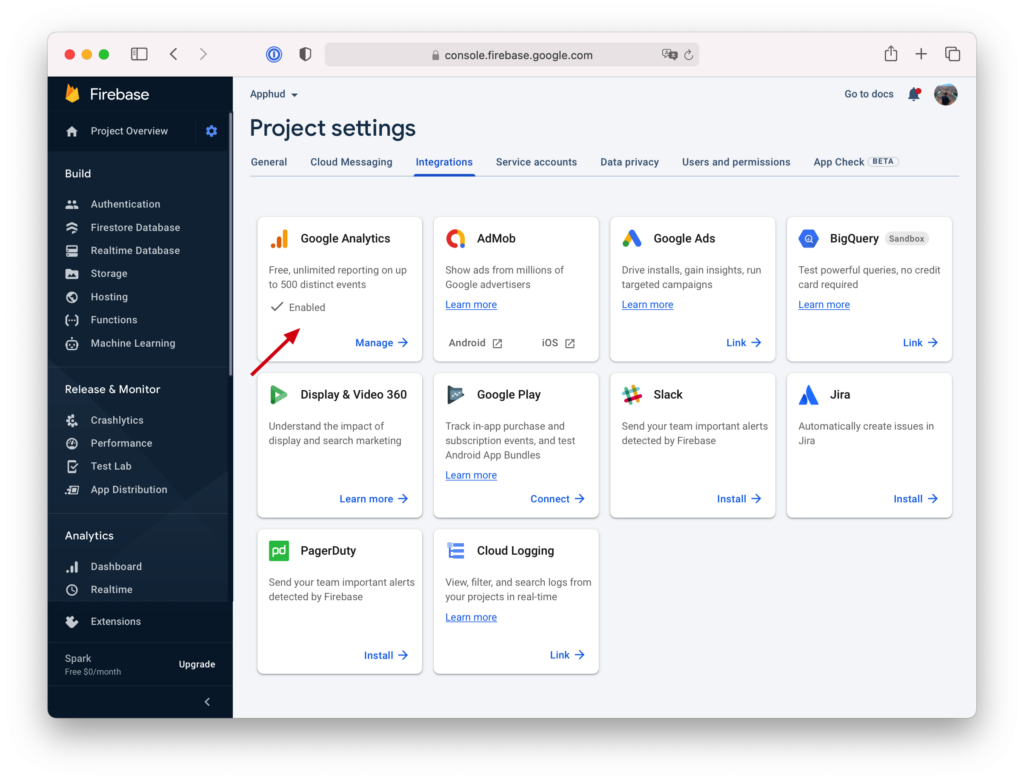 Project settings Google Analytics
Analyse conversions and renewals in Google Analytics
 Analyse conversions in Google Analytics
Subscription events as well as non-renewing purchase events will show up in analytics as Purchase events and will include revenue. Apphud will also send refund events as Refund event name. In addition to events, Apphud will also send system User Properties: total spent, paying, payments count.
Use Purchase events in Firebase
Purchase events can be used in Firebase to view conversions analysis or as a primary or secondary metric in A/B tests.
 Purchase events in Firebase
You can also target your custom audience using custom User Properties that Apphud sends, like Total Spent.
 Apphud Total Spent
One More Thing
Just a reminder, you can analyze Firebase A/B test results in Apphud by sending remote config values from Firebase to Apphud.

Furthermore, you can analyze A/B test results in Cohorts – powerful analytics to view your subscription's retention with filters and segments.
 A/B test results in Cohorts
To get more insights regarding subscription app revenue growth read the Apphud Blog.


Related Posts

Web-to-app advertising in Facebook using Conversions API


Analyzing Firebase A/B test results in Apphud

What's new: OneSignal integration and User properties
