

What's new: MRR and Revenue chart, user filters and sending proceeds
Since now, it's not necessary to launch AppsFlyer or Branch to find MRR (Monthly Recurring Revenue) and Gross revenue. Analyze these metrics right in Apphud.

MRR and Gross revenue charts
 View MRR and Gross revenue charts
You can also segment charts by attribution channels, products, user countries and apply necessary filters:
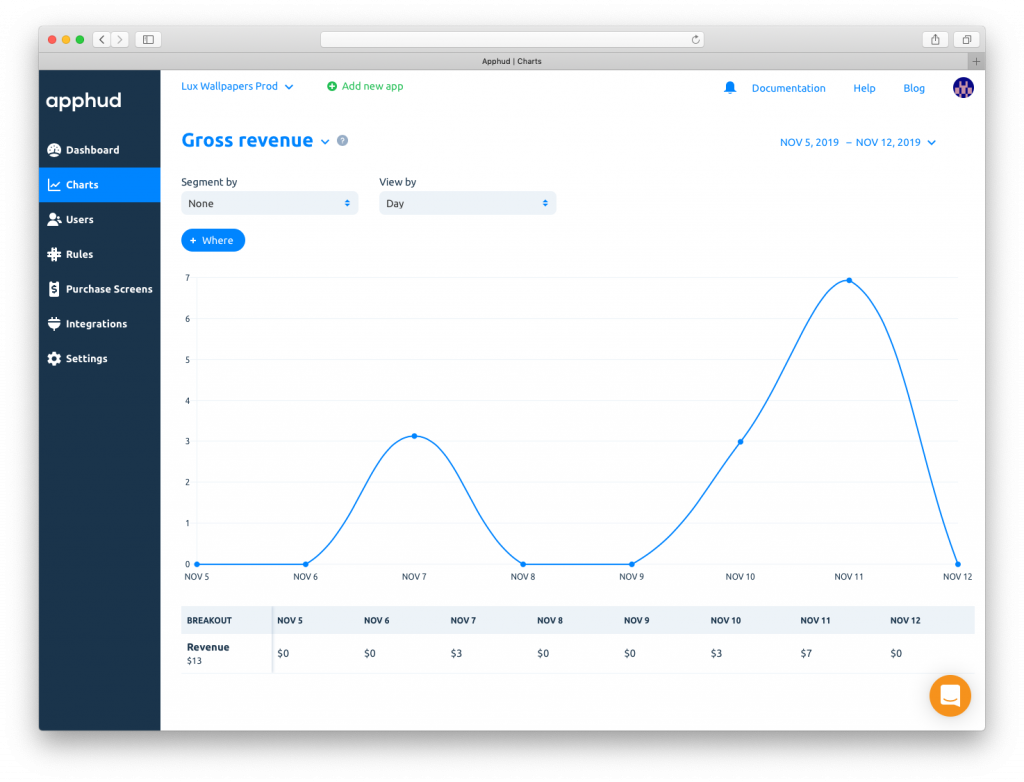 Charts segmentation and filters
We also made some changes in Dashboard and added several new metrics:
- Proceeds: estimated amount you receive on sales of subscriptions. It excludes refunds and Apple’s commission (15%-30%).
- New/active promo offers.
- New/active regular subscriptions.
You can read more about these metrics in our documentation.
User filters
You asked – we implemented. Easily find necessary users using filters and search.
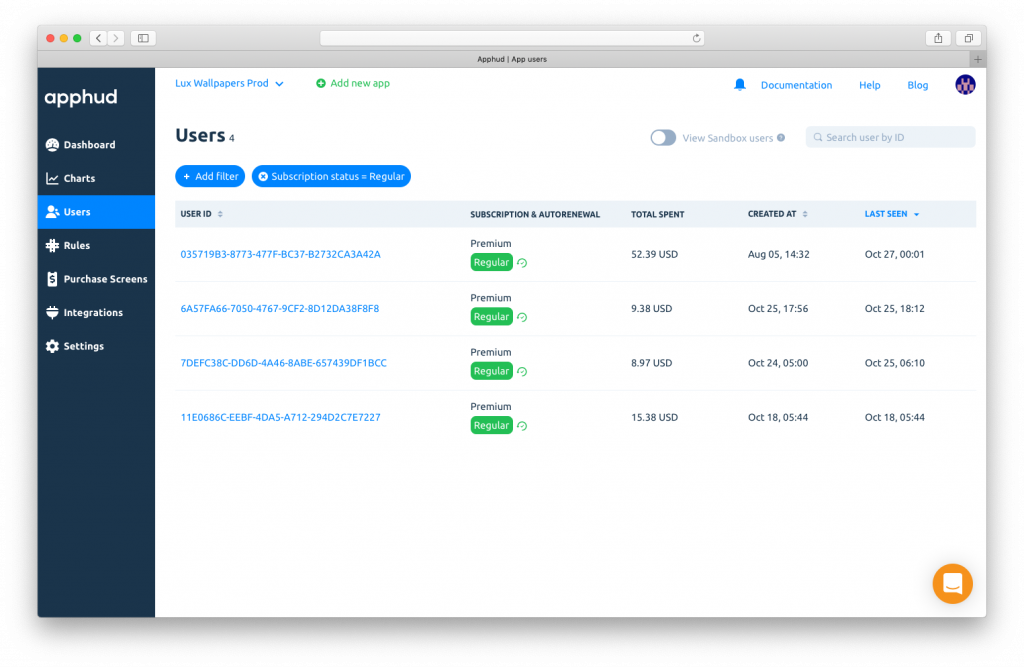 User filters
Revenue tracking
Apphud now calculates app's proceeds. This is revenue without Apple's commission (15% or 30%). You can also send this value to Amplitude, Mixpanel, AppsFlyer and Branch. You should just enable this feature in integration settings. Read more about how Apple calculates commission here.
We also made lots of small enhancements to make Apphud much more convenient. If you still haven't integrated Apphud – it's time. Follow this link and start using Apphud for free. Have a good day!


Related Posts

What's new: Android support and Segment integration


What's new: OneSignal integration and User properties

AppsFlyer and Branch integration, use test keys for integrations and new docs