
Before Black Friday: 4 settings to lift push conversion 🎯
Black Friday is the one week a year when every app sends a promo push at once. Your users wake up to a pile of them, and they open only the few that feel written for them.
That’s the whole game. A push sells when it speaks to this user, in their language, at an hour they’re awake, with an offer that’s still live. Get one of those wrong and the push looks like every other broadcast on the lock screen, and gets swiped away like one. Get all four right and the same push, to the same audience, turns into sales.
The good news: you don’t need a new campaign for that. Four settings inside the Rules you already run cover who the push speaks to, what language it speaks, when it arrives and how long the offer lives. None of them needs an engineer or an app release.
Here is what each one fixes and how to set it up.
One Rule, a personal push for every user
Their name, their goal, their progress, with a fallback for everyone else.
Your onboarding quiz already asked users what they want: lose weight, learn Spanish, sleep better. Then your Black Friday push greets all of them with the same “Hi there”. A push that reads the same for everyone feels like a broadcast, and users swipe it away like one.
The data to fix is already in your app. The name is the obvious one, but any custom user property works: the goal a user picked in onboarding, their level, the language they study, how many lessons are left. Send it to Apphud once, and every Rule can use it.
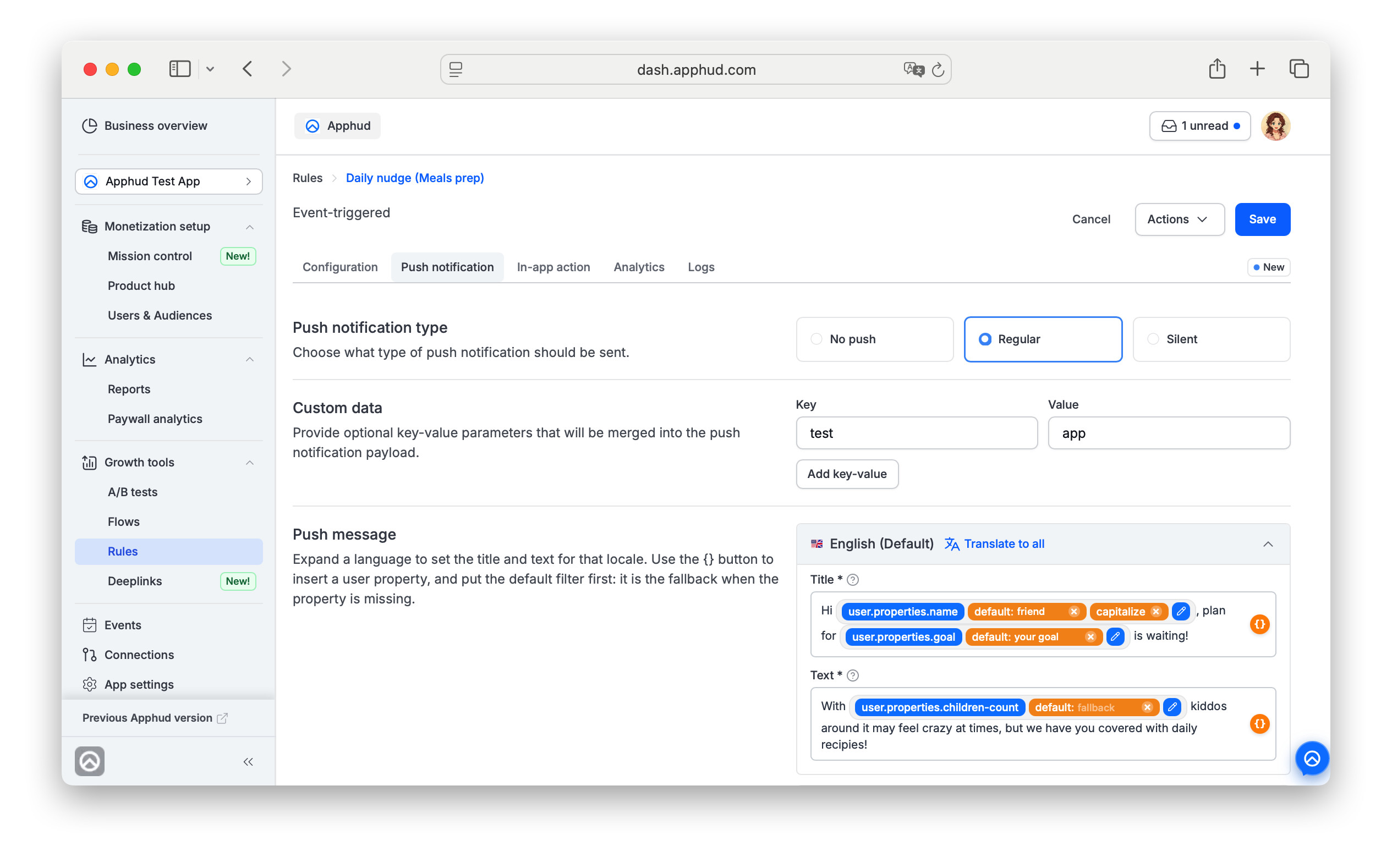 Name and goal in the push, with a fallback built in.
How it works in Apphud
- Send the value from your app as a custom user property, for example
name, with the SDK’s user property method. - In a Rule, open the Push notification tab and expand a language. Click the {} button next to Title or Text and choose user → properties → your property. Apphud inserts the macro for you.
- Send a test push to yourself and check the result.
One title, written once:
Hi {{ user.properties.name | default: "there" }}, your plan for {{ user.properties.goal | default: "this week" }} is waiting
Reaches Anna as “Hi Anna, your plan for weight loss is waiting”, and a user with neither property as “Hi there, your plan for this week is waiting”. Nobody gets a broken line.
The same macros work in Event Triggered, Manual and Scheduled Rules, and in test pushes.
Shape the value to fit the message
Add modifiers after the property name, separated by |:
- text:
upcasedowncasecapitalizestriptruncateappendprepend - numbers:
plusminustimesdivided_byroundfloorceil
Arguments are plain text or numbers, with text in quotes. A property counts as missing if the user has none, if it is empty, or if it is longer than 50 characters. In that case default fills in your fallback.
Tip for Black Friday: always write a fallback. “Black Friday, Anna: 50% off Pro” sells. “Black Friday, : 50% off Pro” tells the user it’s a mass mailing.
👉 Personalize a push in your next Rule
Your push is in English. Your buyer isn't.
One click, every language, done.
A personal push still fails if the user can’t read it. You pay to acquire users in Germany, Brazil and Japan, and then talk to all of them in English. A push in a language the user doesn’t speak is the easiest one to swipe away, especially on a day when their lock screen is full of offers. Yet almost half of Rules in multilingual apps still go out in just one language.
The usual reason is effort. Localizing a push means exporting strings, pasting them into a translator, copying them back field by field, and doing it again every time the copy changes. Most teams skip it for anything but their biggest campaigns.
How it works in Apphud
- Open a Rule and go to the Push notification tab.
- Write the title and text once, in your default language.
- Click Translate to all.
Apphud fills in the title and text for every other language in your app's localization settings, with AI doing the translation. You can review and edit any language before saving. A push to 12 markets takes the same five minutes as a push to one.
The promo screen behind the push gets the same treatment. Screens have their own auto-translate button, so a user who taps a push in Spanish doesn't land on an offer in English.
Tip for Black Friday: keep the copy short and literal. "50% off Pro, ends Sunday" translates cleanly into every language; slang and wordplay don't.
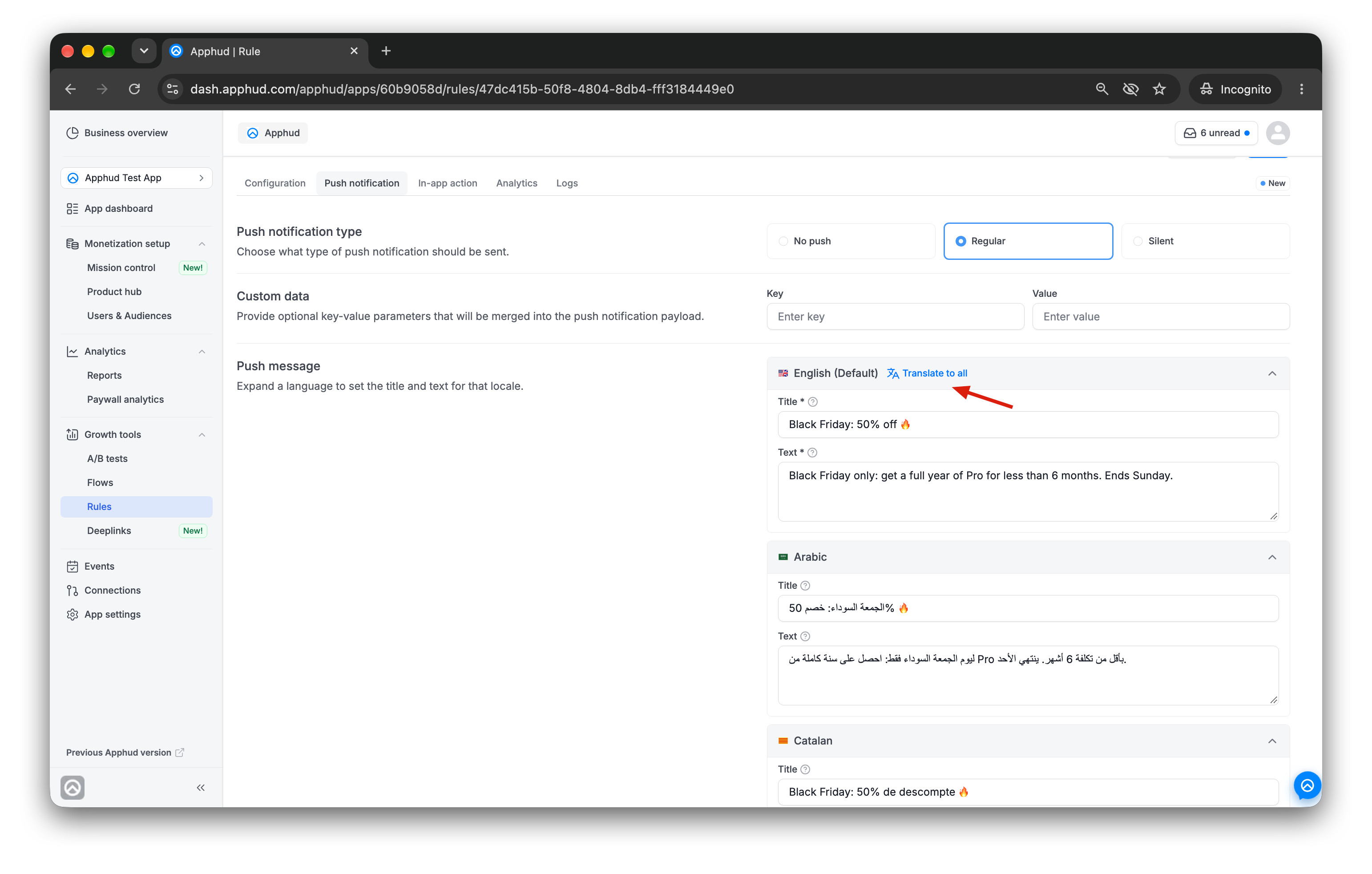 Rule push tab with Translate to all, English, Arabic, Catalan, etc.
👉 Try AI translation in your Rules
A push that arrives at 3 AM sells nothing
Pick the hour once. Apphud hits it in every timezone.
The right message at the wrong hour is still the wrong push. A scheduled Rule that fires on server time fires at one moment for everyone. For users in your timezone that might be 9 AM. For users on the other side of the world it is the middle of the night: the push lands silently, and by morning it is buried under everyone else’s Black Friday offers.
How it works in Apphud
In a scheduled Rule, set the send time to 9:00 AM in the customer's local time. Apphud does the math for each recipient: Tokyo gets the push at 9 AM JST, Berlin at 9 AM CET, New York at 9 AM EST. It's the same Rule with zero timezone math on your end.
You pick the hour, and Apphud makes sure it's the right hour everywhere at once. Nobody gets your campaign at 3 AM just because the server clock said so.
Tip for Black Friday: pick the hour your users actually open the app, not the hour your team starts work. Morning and early evening are the usual candidates; if you're unsure, split the audience and compare.
👉 See how to send pushes at your users' local time
Your Black Friday offer shouldn't show up in December
Set an expiration once, and the offer disappears when the sale ends.
Timing works both ways: an offer has to arrive on time and leave on time. Automation keeps working after your sale is over. A user who opens the app three days late can still land on a discount screen for a deal that has already ended. That’s a lost sale twice over: they don’t get the price they were promised, and they learn that your offers aren’t real, so they wait out the next one.
How it works in Apphud
In the Rule's General section, set a Notification TTL, for example 48 hours. Once that window passes, the offer stops resurfacing. Nobody lands on a promo screen for a deal that already expired.
It's one field, and it's the difference between automation that feels timely and automation that feels forgotten.
Tip for Black Friday: match the TTL to how long your sale actually runs. If the discount ends Sunday night, the offer should stop showing up by Sunday night too.
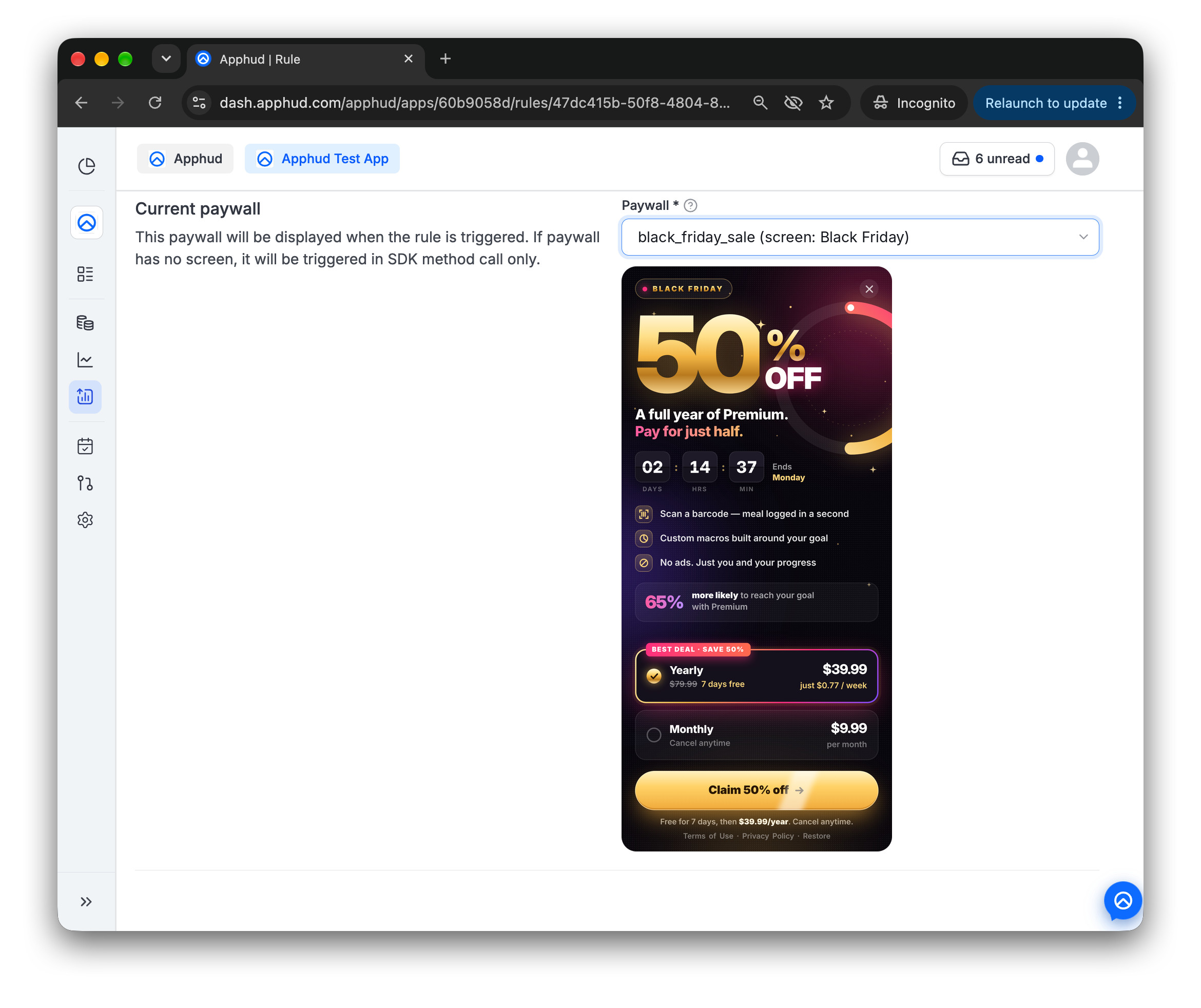 The TTL makes sure nobody sees it after the sale.
👉 Learn how to add an expiration window to your Rule
Your Black Friday Rule: proper setup to lift push conversion in five minutes
Each setting is a button, a dropdown or a field inside a Rule you've probably already built. You don't ship a new push, and you don't need an engineer.
Go to Rules, open the one that brings you the most money, turn on these four settings, and compare conversion.
Thanks for building with us.